

Competency is the control. Prove you documented it.
On transmission and distribution work the paperwork that matters most is the record of who was qualified and how the energy was isolated. TruStar Connect issues lockout and isolation permits with a full signature chain, keeps documented competency current for every classification, and takes apprentices from enrolment through to a signed graduation.
No credit card. No sales call. Full access. Set up in minutes.
Prefer to read first? Get the full product brochure (PDF).
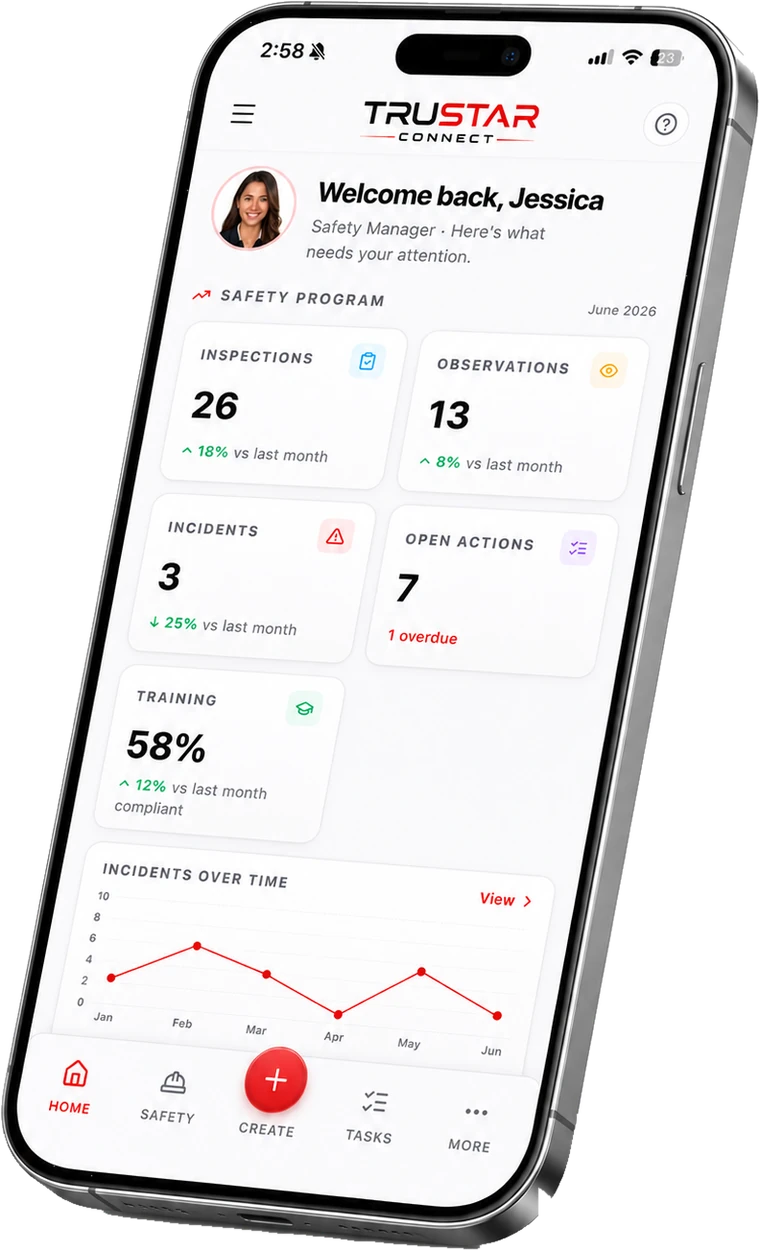
Why utility contractors choose it
Written for work where the control is a person’s qualification
Isolation with a signature chain
LOTO and confined space permits numbered by type, each carrying its own hazards, controls and signatory roles, held open for the window you set and closed out on the record.
Documented competency, per classification
Required training by role, site and project, so an apprentice, a journeyperson and a qualified switching operator are each held to their own list rather than one generic course set.
Hazard control linked to the procedure
Assess a hazard in the field and link the control straight to the safe work practice that governs it, so the control and the document do not drift apart.
The line is not an office
Permits, inspections and forms captured with no signal along the right of way, synced the moment the truck is back in range.
Take it with you
The full product brochure.
A multi-page PDF walkthrough of everything TruStar Connect does and our published pricing. Easy to forward to the people who sign off on a new tool.
- Every module, explained in plain language
- Our published pricing for every worker band
- How the platform maps to COR and SECOR
Get the full product brochure (PDF)
A multi-page walkthrough of everything TruStar Connect does, our published pricing, and how we compare to SiteDocs, SALUS, and SafetyCulture. Enter your email and it is yours. Name, company, and phone are optional.
We will only use this to follow up about TruStar Connect. We never sell your data.
Apprentices on energized work
The record of who was qualified, kept as it was signed.
A competency evaluation is a document somebody signs on a date, against wording that applied that day. TruStar Connect keeps it that way: a completed evaluation holds the wording it was assessed against even after you revise the template, and a signed mentorship agreement keeps the language it was signed in. Changing the form afterwards does not rewrite what a mentor actually attested to.
The same discipline covers permits. A signatory role recorded on a permit that has already been signed keeps the wording it was signed under, so the record of an isolation stays the record rather than being quietly re-rendered by a later settings change.
Worked example
A 150-worker operation
TruStar Connect, Pro plan
Covers 51 to 150 workers. The same $1,099 whether you have 51 people on the books or 150.
Typical per-user safety software
With per-seat pricing, 150 workers means 150 licences, every month. Our price is the same at 150 workers as it is at 51. Run the math on your own crew and compare it to one flat number.
Independently reviewed
Rated by the safety teams who use it
TruStar Connect is listed and reviewed on the three directories buyers actually check before they shortlist safety software. Every review is verified by the directory, not by us.

Capterra, GetApp and Software Advice are independent software directories owned by Gartner. Reviews are collected and verified by them, and TruStar Safety has no ability to edit or remove what a reviewer writes.


The right of way, in one login
Isolation, competency and the evidence between them
Utility work is controlled by qualification and isolation. These are the parts that hold both.
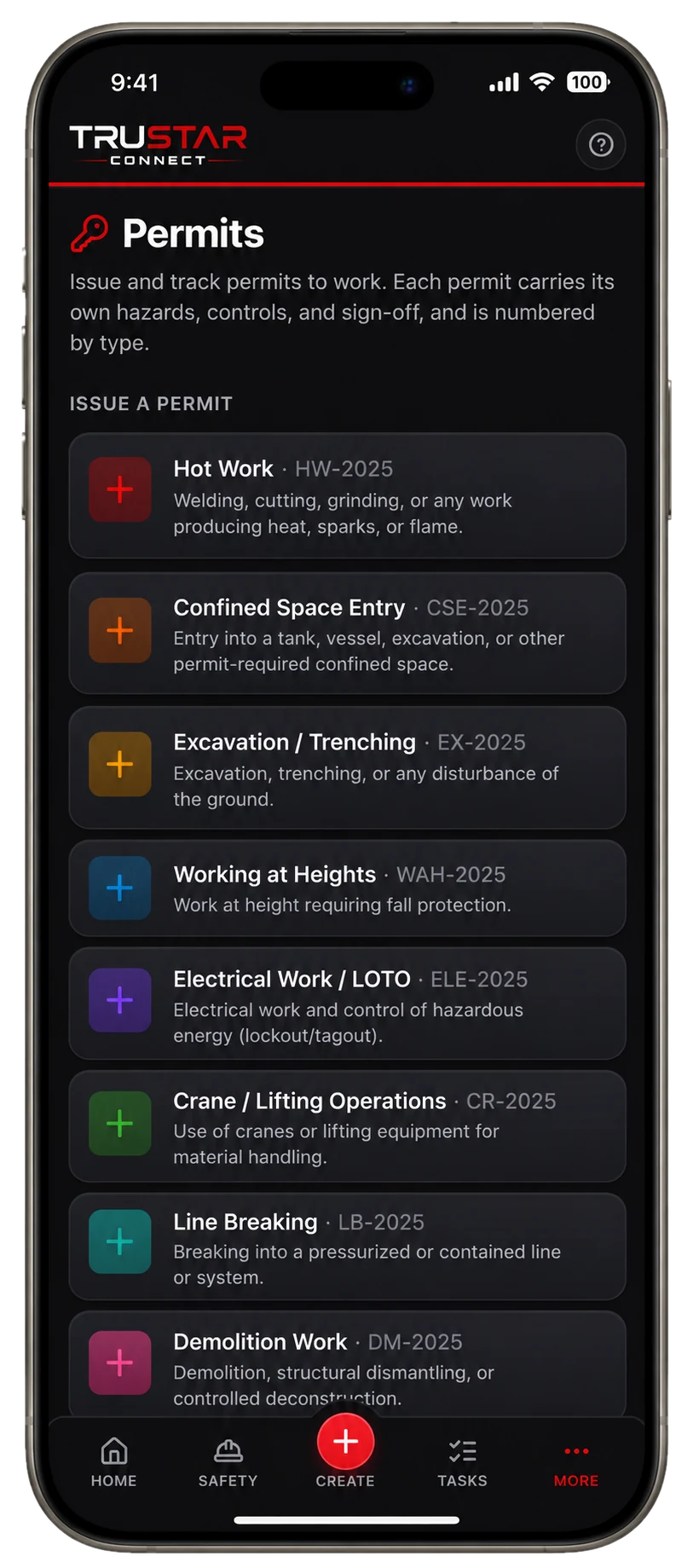
Permits and isolation
Signed in order, closed out.
Each permit type carries its own hazards, controls and signatory roles, with the window you set, a public QR page, and close-out on the record.
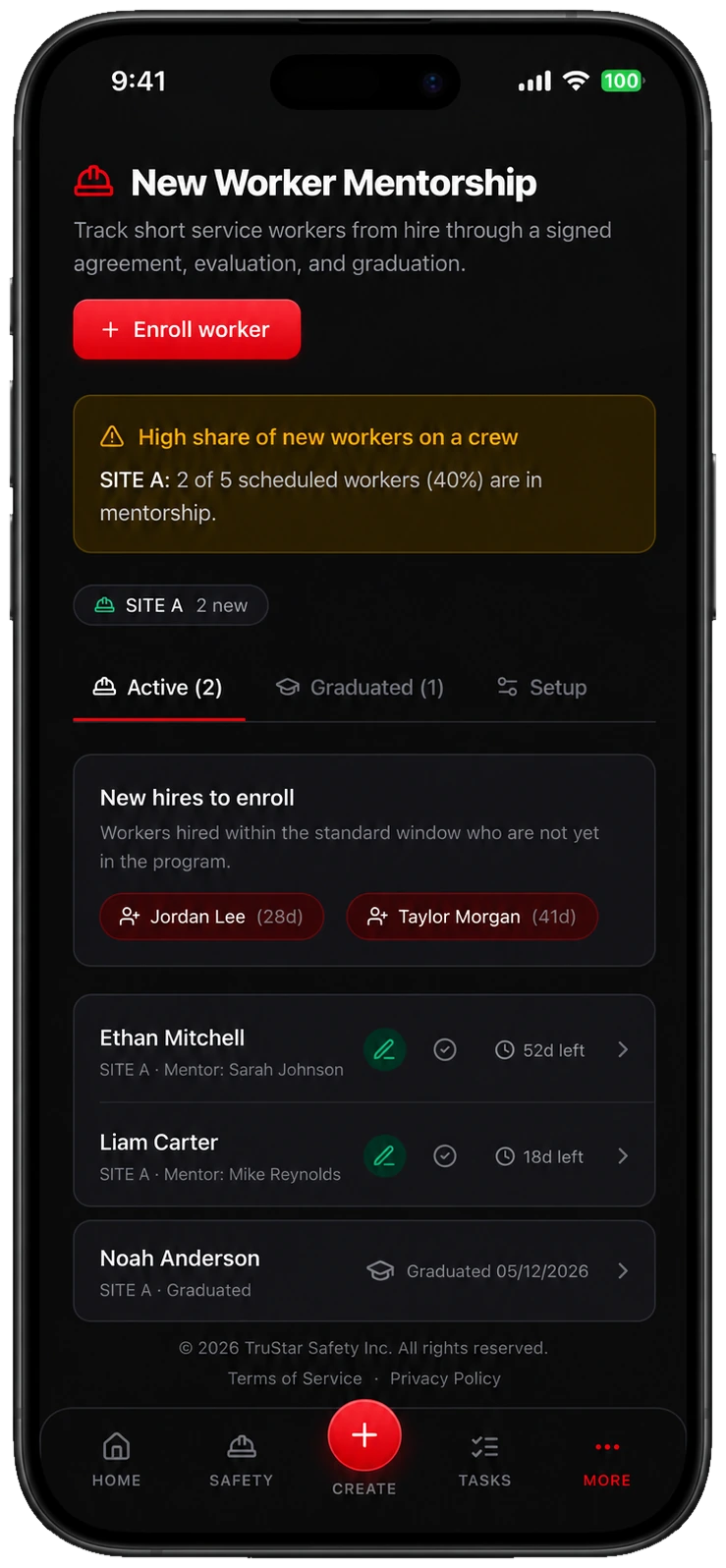
Apprentice mentorship
Enrolment through to sign-off.
A signed agreement, progress notes, a competency evaluation and a graduation sign-off, each kept in the wording it was signed against.
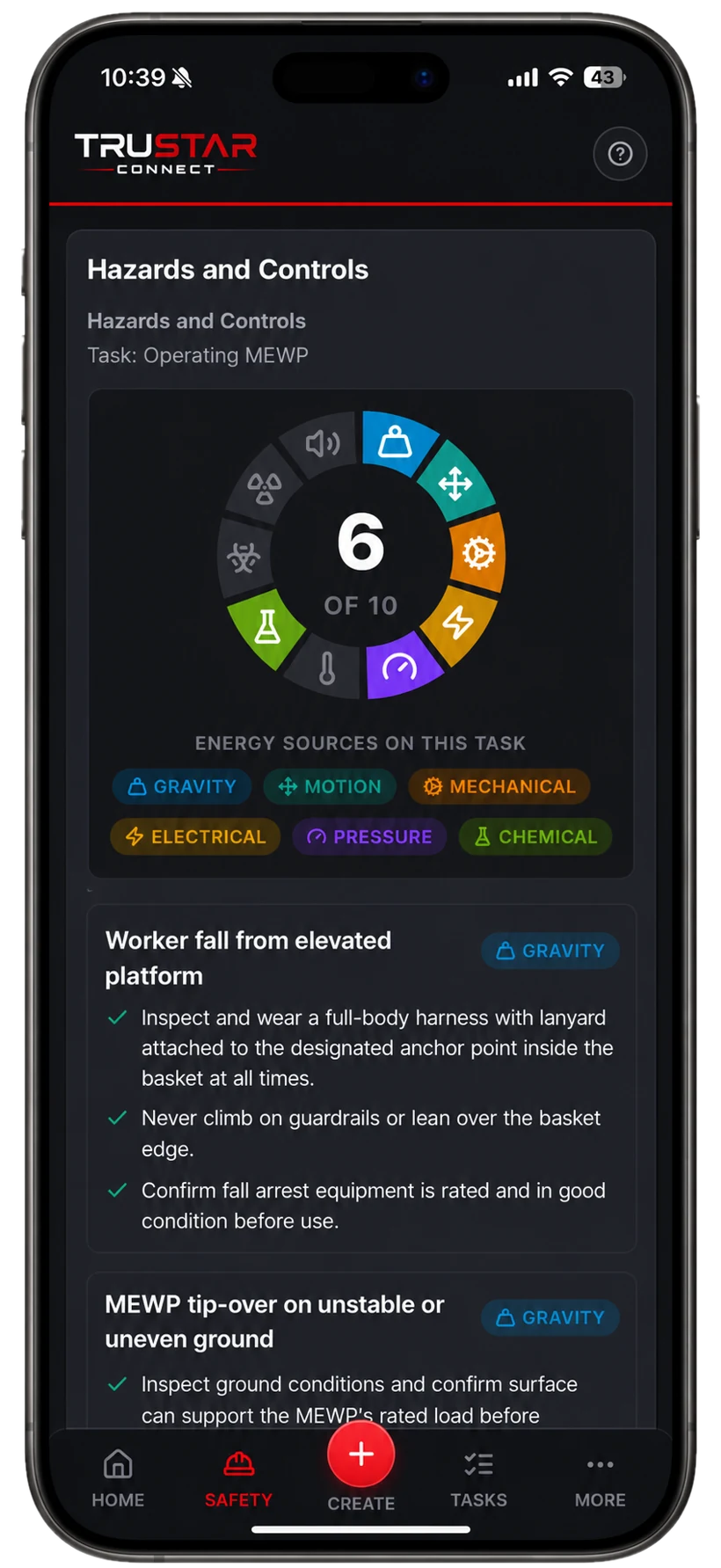
Hazard register
Controls tied to procedures.
Assess in the field and link the control to the safe work practice that governs it, so the two do not drift apart over a season.
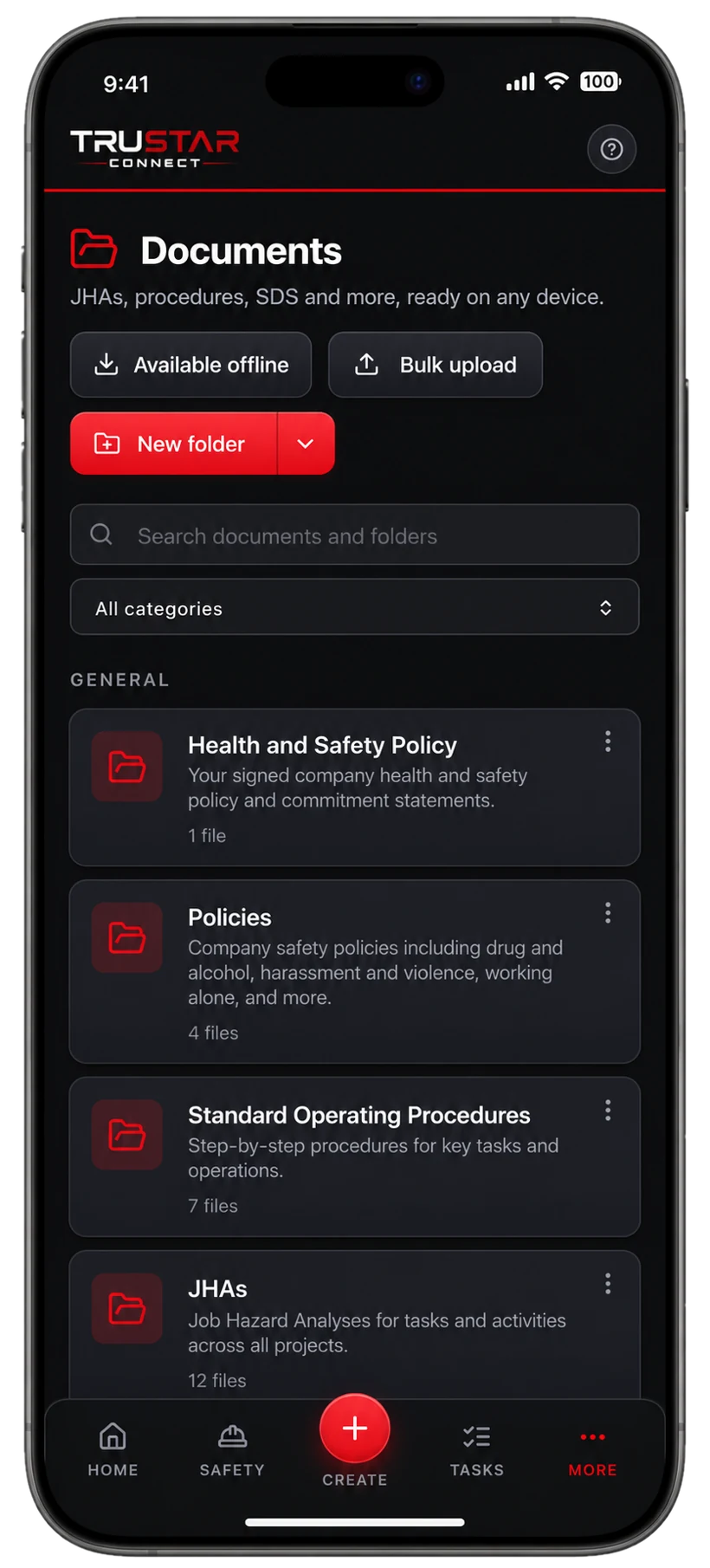
Controlled documents
Versioned and acknowledged.
Procedures under version control with an approval and signature flow, and a record of exactly who has read and acknowledged each one.
Pricing, in the open
Pick a worker band. Get everything.
Every plan includes the entire platform. You are only choosing how many workers you cover.
Starter
Up to 10 workers
or $158/mo billed yearly
For small crews getting COR ready.
Growth
11 to 50 workers
or $428/mo billed yearly
For growing teams working across sites.
Pro
51 to 150 workers
or $989/mo billed yearly
For established multi crew operations.
Enterprise
150+ workers
Tailored pricing for large operations.
Straight answers
Questions buyers ask us
Can we define our own permit types?
Yes. Permit types carry their own hazards, controls and signatory roles, and an owner or admin sets the authorization flow and the default issuer for your organization.
Does a signed record change if we edit the template later?
No, deliberately. A completed competency evaluation keeps the wording it was assessed against, a signed mentorship agreement keeps the language it was signed in, and a signatory role on a signed permit keeps the wording it was signed under.
Can training requirements differ by classification?
Yes. Required training is set by role and by project, so apprentices, journeypersons and qualified operators each carry their own list rather than a single shared one.
Does it work with no signal on the right of way?
Yes. Permits, inspections, forms and photos are captured offline and sync themselves when the device is back in range.
Is Fleet included if we run bucket trucks and diggers?
Yes, on every plan and at no extra cost. An owner switches Fleet on for NSC, CVOR, hours of service and vehicle maintenance, or leaves it off if it does not apply.
Try it before you talk to anyone.
Full access to the whole platform for 14 days. No credit card, no demo, no sales call. We spin up your workspace and email a link to set your password and get started.
- The entire platform, not a limited tier
- Published pricing waiting for you when the trial ends
- Your data hosted in Canada (ca-central-1)
- Import your existing program and records
- Works fully offline in the field
Built for the work that carries real risk, and proven on it: TruStar Connect runs a working Canadian safety program in the field every day.
Start your 14-day free trial
Full access. No credit card. Set up in minutes.
By starting a trial you agree to our Terms of Service. We will never sell your data.
Put the next isolation on the record properly.
Set up your permit types and your classifications, and issue one on the next job. No credit card and no sales call.
Start your 14-day free trialExplore more: COR & SECOR compliance software, Protect your WCB rebate, Safety management software, Fleet compliance for trucking, Oil and gas safety software, Industrial construction, Commercial construction, Civil and heavy construction, Electrical and mechanical trades, Manufacturing and fabrication, or compare TruStar Connect to other safety software.